Check GEPCO Bill Online [ March 2026 ]
Please enter your 14-digit reference number below to check your latest GEPCO Bill online.
OR
In case you want to check your GEPCO bill online, you can do so using your 10-digit Customer ID. Please enter your Customer ID below;
Do you require to check your monthly GEPCO electricity bill before it’s too late? Get relaxed with our easy-to-use platform, you can check/see, download or estimate your GEPCO bill online by going through just a few easy steps. To check/see, download or estimate your GEPCO bill online, just put your 14-digit GEPCO Bill reference number or 10-digit customer ID of GEPCO bill.
How to find Reference Number & Customer ID?
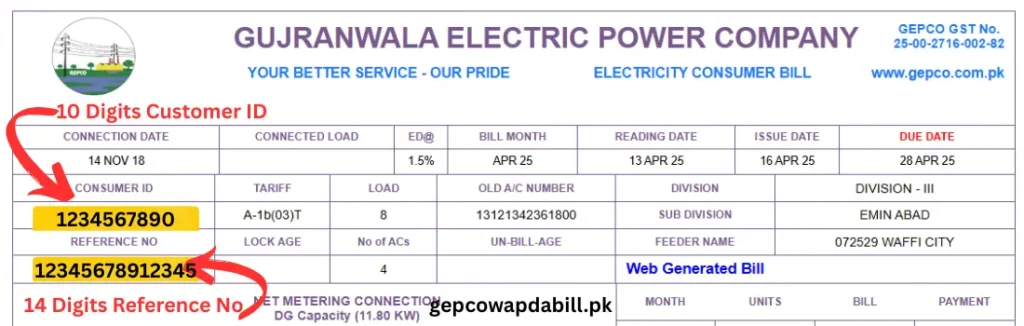
If your GEPCO bill has been generated, you can easily check it here. However, if it hasn’t been generated yet, you can estimate your bill using provided GEPCO Bill Calculator. Just enter the number of units consumed on your GEPCO WAPDA meter, and this calculator will provide you with an estimated bill to get the idea of the bill amount.
To get your estimated bill online, please click here
GEPCO Load Shedding schedule:
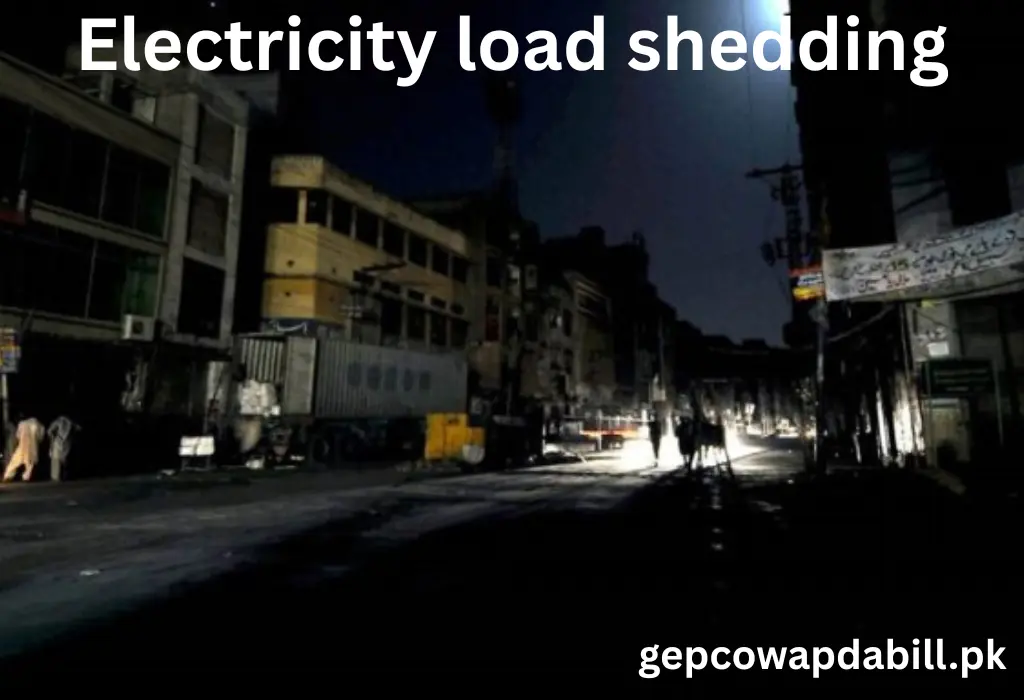
Electricity load shedding is a point of concern for all Pakistanis. You can not control/reduce load shedding at your own. However, you can schedule your routine daily activities effectively by according to the load-shedding schedule.
The CCMS (Customer Complaint Management System) is a designated department to address the load-shedding schedule for the entire country, including the GEPCO region. Just click on this link ( https://ccms.pitc.com.pk/FeederDetails) and you will get the load shedding/load management schedule for your local area.
Enter the GEPCO bill reference number and then press the search button. In a matter of seconds, it will show the load shedding/load management schedule for your designated subdivision/feeder. For more information regarding the matter of load shedding/load management in Pakistan: Please visit here

About Gepco
GEPCO is “Gujranwala Electric Power Company Limited”. It is an electricity distribution company that distributes electricity in 6 districts of upper and central Punjab (with a lot of industry). GEPCO is among the top 10 electricity distribution companies in Pakistan. It is founded in 1977 to distribute electricity in the most populated areas of Pakistani Upper Punjab.
GEPCO distributes electricity and manages a diverse transmission and distribution network over:
| 43068 km of lines | 62 Grid stations | 118 sub divisions |
| 910 feeders | 24 Divisions | 5 circles |
| 16.1 million customers | 5 x Industrial Estates & Special Economic Zones | +50 Cities |
There are 20 constituencies of the National Assembly of Pakistan and 43 constituencies of the Provincial Assembly of Punjab that fall under the GEPCO Distribution Network.
GEPCO Service Coverage Areas;
| Gujranwala | Gujrat | Hafizabad | Mandi Bahauddin | Narowal |
| Sialkot | Kharian | Sarai Alamgir | Dinga | Lala Musa |
| Jalalpur Jattan | Pindi Bhattian | Jalalpur Bhattian | Sukheke | Phalia |
| Malakwal | Shakargarh | Zafarwal | Pasrur | Sambrial |
| Daska | Kunjah | Kotla Arab Ali Khan | Wazirabad | Kotli Loharan |
| Chawinda | Narang Mandi | Kamoke | More Eimanabad | Rahwali |
| Qila Didar Singh | Vanike Tasrar | Nowshera Virkan | Kartarpur | Baddomalhi |
| Ahmad Nagar Chattha | Dhaunkal | Mong | Helan | Mangat |
For more information about Gepco Distribution please visit this page.
How to reduce Your bills and save Electricity?
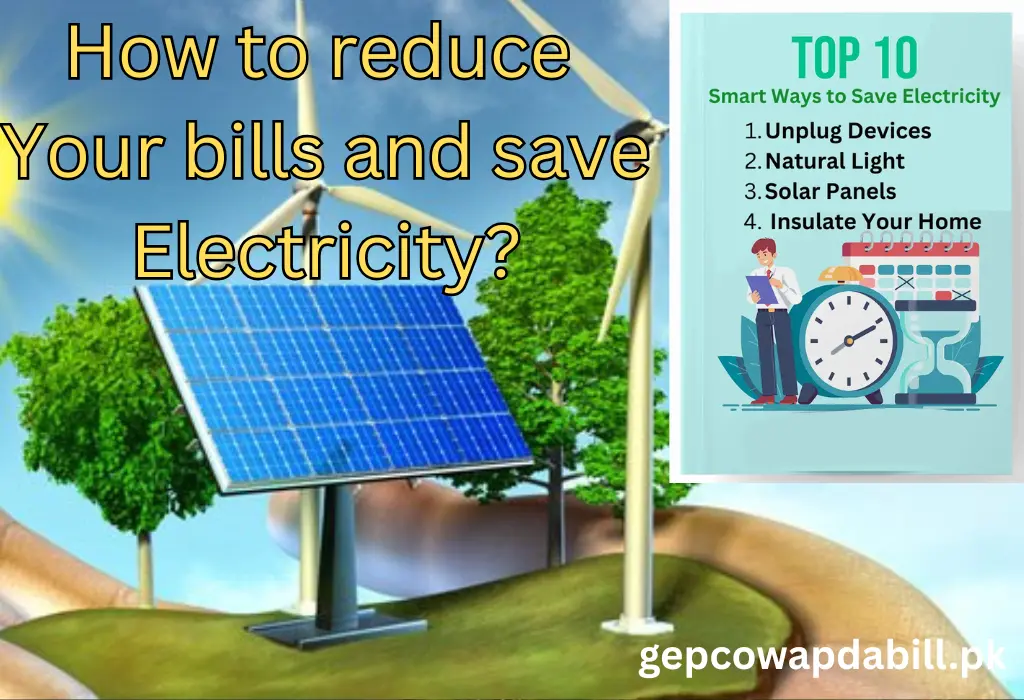
1. Avoid Peak hours
You can save your hard-earned money by minimizing electricity bills by just reducing the use of electricity during peak hours. Peak hours are the time of day when electricity consumption is high, and GEPCO applies higher tariff rates during these peak hours. So, to save your money, please reduce heavy electricity usage or avoid unnecessary usage of electricity during these peak hours.
GEPCO peak hours Detail here:
| Months | Peak Hours | OFF Peak Hours |
| Dec To Feb | 5 PM to 9 PM | Remaining 20 Hours |
| Mar to May | 6 PM to 10 PM | Remaining 20 Hours |
| Jun to Aug | 7 PM to 11 PM | Remaining 20 Hours |
| Sep to Nov | 6 PM to 10 PM | Remaining 20 Hours |
2. Turnoff unused devices
Please make a habit of turning off your home appliances after use. Appliances in standby mode (Mobile charger, TV, AC, Iron, Computer etc.) consume electricity. Turning them completely off can not only save energy/electricity but also reduce your electricity bills.
3. Energy saver
Latest home appliances use energy-efficient technologies, so try to replace old technology appliances with the latest ones to save energy and money. The modern technology appliances use less power but deliver the best efficiency without affecting the performance.
Example: Change your old bulb to energy-saving LED lights that consume 1/10 of the power but provide optimum light.
4. Use a DC inverter air conditioner
A new DC inverter air conditioner, as compared to the old split air conditioner and window air conditioner, consumes very low electricity and is more efficient in controlling temperature.
For more tips to reduce bills and save electricity please read reamaing post
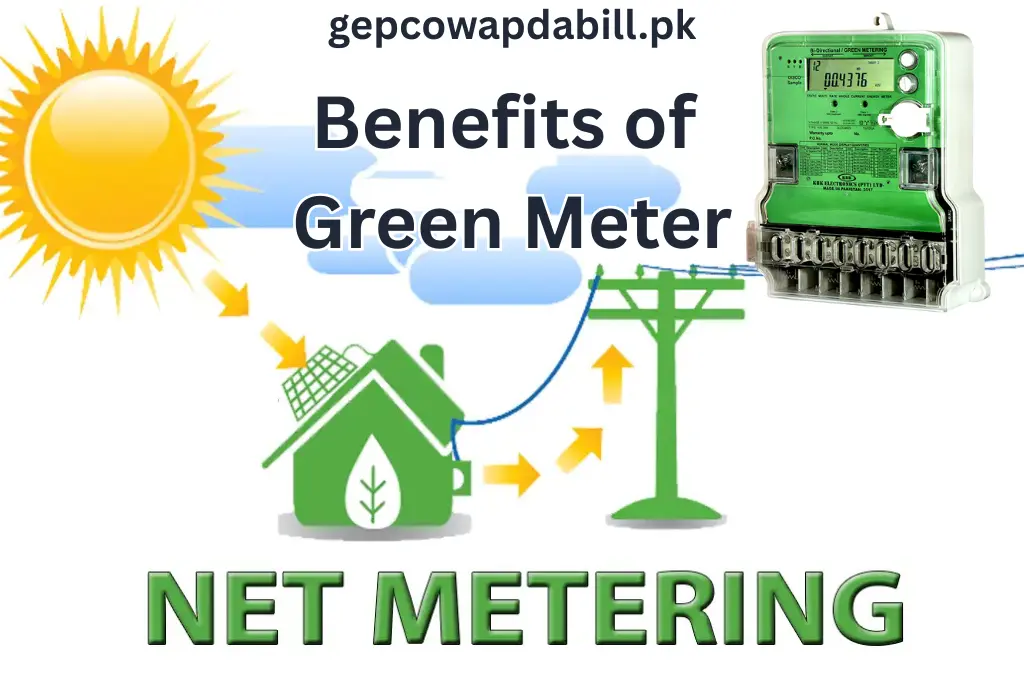
Benefits of Net Metering:
Cost Savings:
- Offset energy consumption costs to reduce electricity bills.
Encourages Renewable Energy:
- Financial incentives for Solar/Renewable energy systems at the domestic/personal level
Grid Support:
- Surplus energy during peak generation times helps balance the grid.
Environmental Impact:
- Supports the transition to Clean/Green energy and helps to reduce dependence on fossil fuels/hydrocarbons.
GEPCO Electricity Bill Information and Taxes
Your GEPCO electricity bill is a sum of electricity cost along with a lot of taxes. To see your full bill, including GEPCO charges and Gepco tariff all the applied GOVT taxes, click at Latest Bill. To get more details about the charges and applied taxes, please read the article given below.
GEPCO Charges in your Electricity Bill:
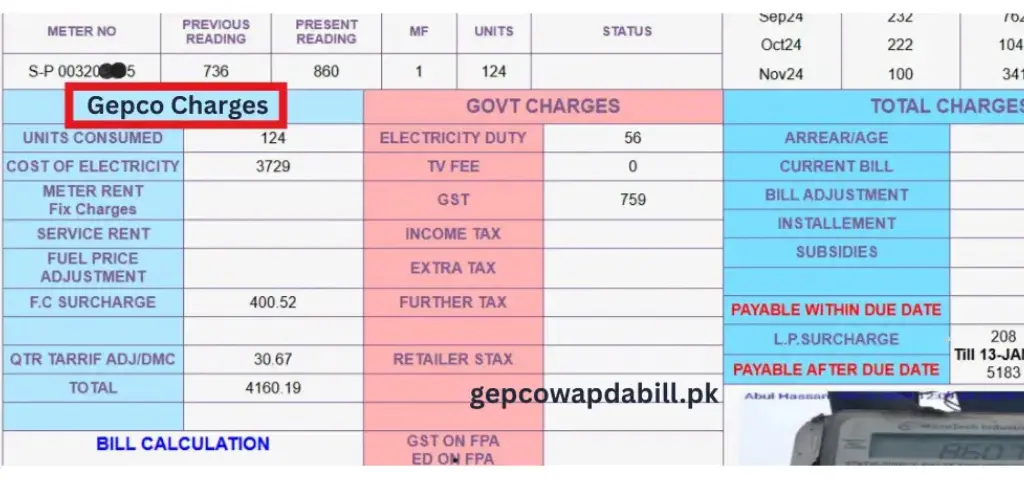
About GEPCO Charges
The GEPCO bill amount is different, depending on the category, commercial or residential.
Cost of electricity | Meter Rent | FPA in Electricity Bills | Service Charges |
F.C Surcharge | TR Surcharge | QTR Tariff Adjustment | Deferred Amount |
1 : Cost of electricity Cost of the electricity is calculated by simply multiplying total consumed units by the rate per unit.
Total units x rate per unit = Cost of electricity
200 x 60 = 12000
2 : Meter Rent (latest charges implemented by WAPDA)
Meter rent is a fixed amount that is Rs. 1000/= (One thousand rupees) that is applied on every consumer whether they consume electricity or not.
3 : Fuel Price Adjustment (FPA)
Fuel Price Adjustment (FPA), or sometimes referred as Fuel Cost Adjustment, is the amount that the Government of Pakistan charge from the consumers to cover any hidden fuel costs or any additional cost of purchasing electricity from IPPs (Rental power stations) when fuel prices increase.
The FPA is a bi-monthly price adjustment that is applied every two months. If there is an increase in fuel price in the months of January and February, the FPA to this effect will appear in the March bill.
4 : Service Charges / Service Rent in your electricity bill.
“Service Rent” is a monthly fixed charge that is applied by GEPCO when a consumer’s electricity meter/connection is temporarily disconnected but not removed/dismantled permanently. which is roughly Rs. 175/= (rupees one hundred and seventy five) per month.
Your meter connection remains valid if you pay this rent. You can use it any time in the future without any reinstallation or reconnection.
5 : F.C Surcharge
FC Surcharge means (Financing Cost Surcharge). GOVT Of Pakistan charges a small amount to all consumers to manage power sector loans and cost of instalments. This surcharge amount depends on the consumed units, so it is different in every bill.
If a consumer used units over 100, then this surcharge cost is around 3 to 4 rupees per unit.
6 : TR Surcharge
The Tariff Rationalization Surcharge (TR Surcharge) is a surcharge that is included in electricity bills. It is included when the NEPRA tariff (rate per unit) is lower as compared to the tariff actually demanded by power companies to compensate their actual costs, including rental power stations payments.
There are two ways to adjust this difference. One is by subsidy from Govt. of Pakistan and the second is charging a small amount in our bills. Also, If the tariff rate difference is a negative effect then the power companies calculate and pay the difference amount to the Govt. as Inter Disco Tariff Rationalization Surcharge (IDTR SURCHARGE )
7 : QTR Tariff Adjustment (Quarterly Tariff Adjustment).
This is another Tariff Adjustment, which is carried out on a quarterly basis. this is an amount that is included to GEPCO electricity bills quarterly (once every three months).
The purpose of this amount is to compensate for fuel price fluctuations depending on different factors (including Currency Exchange Rate Variations, Capacity Charges, Transmission and Distribution Costs).
8 : Deferred Amount.
The Deferred Amount is calculated from the difference between our Average Monthly Billing (AMB) and the amount of our actual usage.
- In case of credit of the deferred amount, our monthly AMB gets reduced by 1/12 of this.
- In case of a debit, our monthly AMB gets increased by 1/12 of this.
- Newly entered customers (AMB ) will see the deferred amounts as soon as the second month of their usage.
- To close/cancle an AMB account a consumer must needs to pay the full deferred amount.
The bill every month includes this amount, and the same can be checked on the corresponding bill.
Taxes on Electricity Bills Imposed by the Government of Pakistan:
The detailed govt taxes that are included in our Electricity bills are as follows;
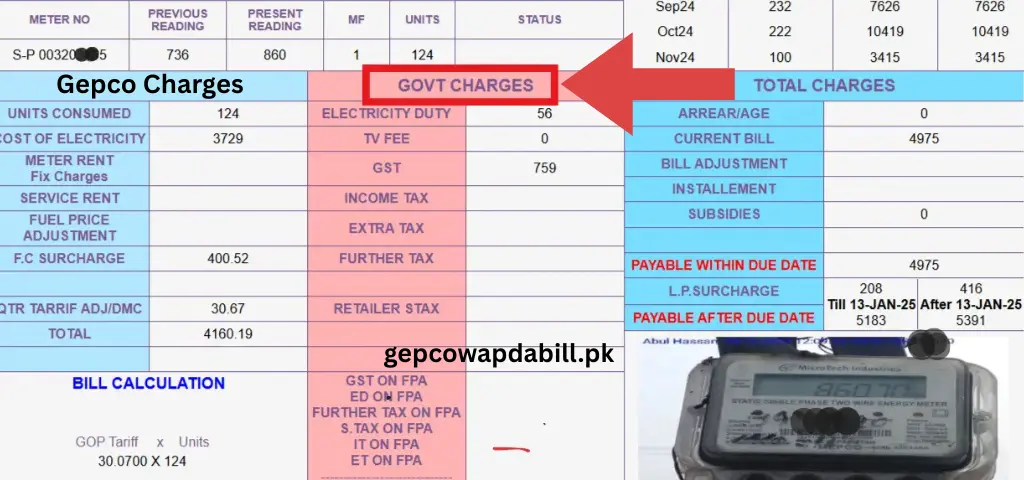
1: Electricity Duty:
In this section, let’s begin with the first tax, that is Electricity duty, which is around “0.40 to 0.50” rupees per unit. It comes into effect if you consume over 100 units.
2: Television Fee:
TV fee is a tax of a fixed amount (Rs. 35/=) that is applied to every GEPCO consumer.
3: GST:
The General Sales Tax (GST) is an amount equal to approximately 17% of the cost for every consumer.
4: Income Tax:
Following consumers’ needs to pay the Income Tax in GEPCO electricity bills:
- Commercial Consumers
- Industrial Consumers
- Residential Consumers with High Usage
5: Extra Tax:
This is another tax exclusively applied to Commercial users by the Govt. of Pakistan.
6: Further Tax:
The commercial consumers (or Businesses) without a valid tax registration number (NTN or GST) need to pay “Further Tax”. This is a tax that is applied to non-registered consumers or businesses.
7: Retailer Sales Tax on Electricity Bills in Pakistan
Retailers and Shop owners need to pay the Retailer Sales Tax. This tax is compulsory on the electricity bills of commercial consumers like retailers and shop owners. This tax is part of efforts made by the Government of Pakistan to enhance tax collection. They want to enlarge the tax net and to bring businesses into it. It also helps to confirm fair tax collection.
How to verify the status of your GEPCO bill is paid or pending?
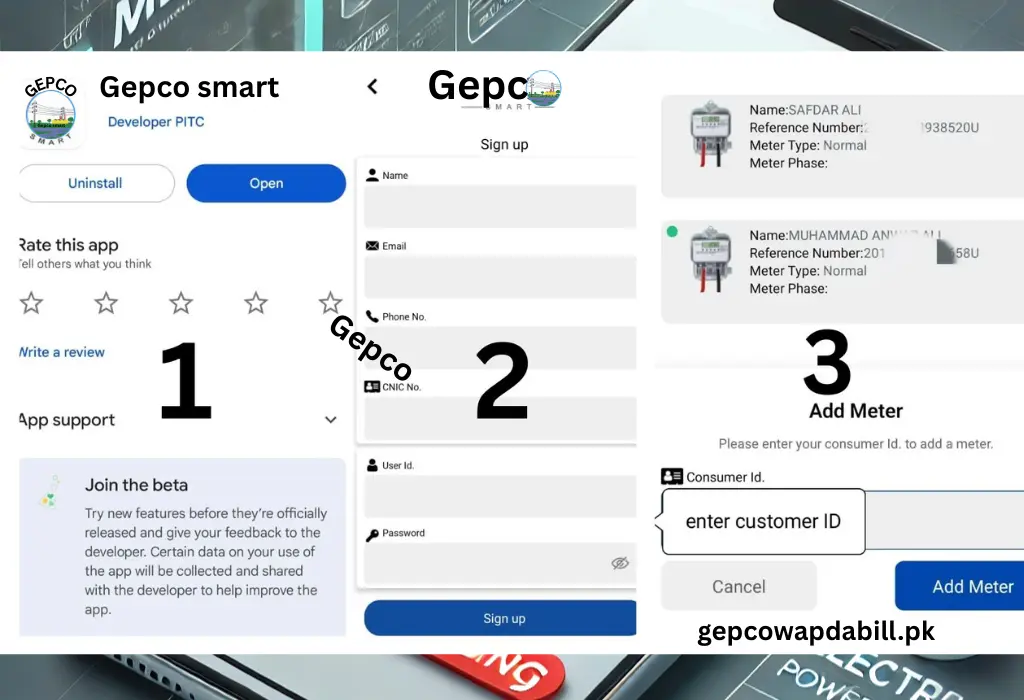
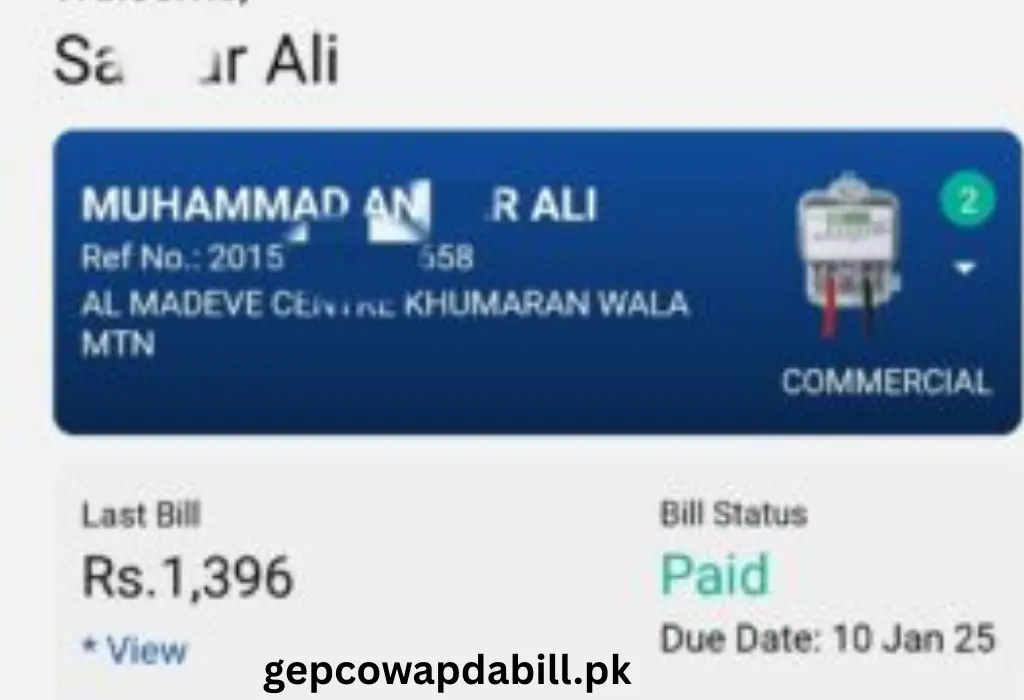
GEPCO SMART Mobile app is the quick and only way to check the status of your electricity bill is already paid or pending. Below is the full detail to check payment status.
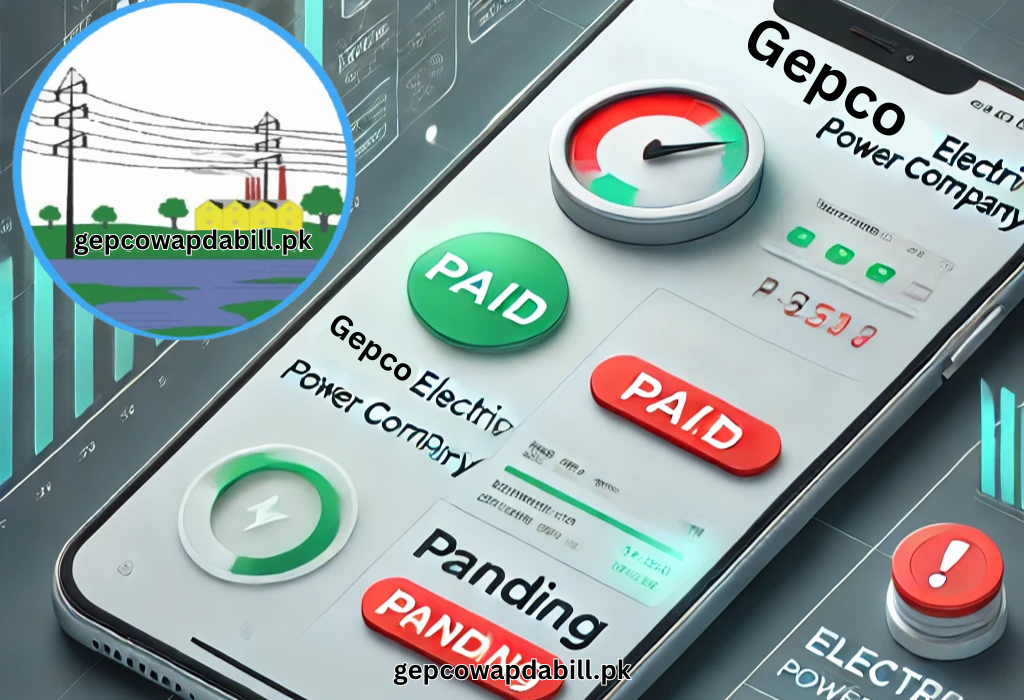
How to use GEPCO smart mobile app to verify bill payment status?
- Go to google play store and install (GEPCO SMART) app developed by PITC.
- Login your app by entering your name, CNIC No, Phone number and email address.
- After your app is login click + icon button and enter your ( 10 digit )consumer id that is mentioned on your GEPCO bill above the reference number and click add meter.
- Now press home button and here you see your last bill and bill status ( Paid or pending )
- In this app you can check multiple bill status by adding meters.
Getting Gepco bill online:
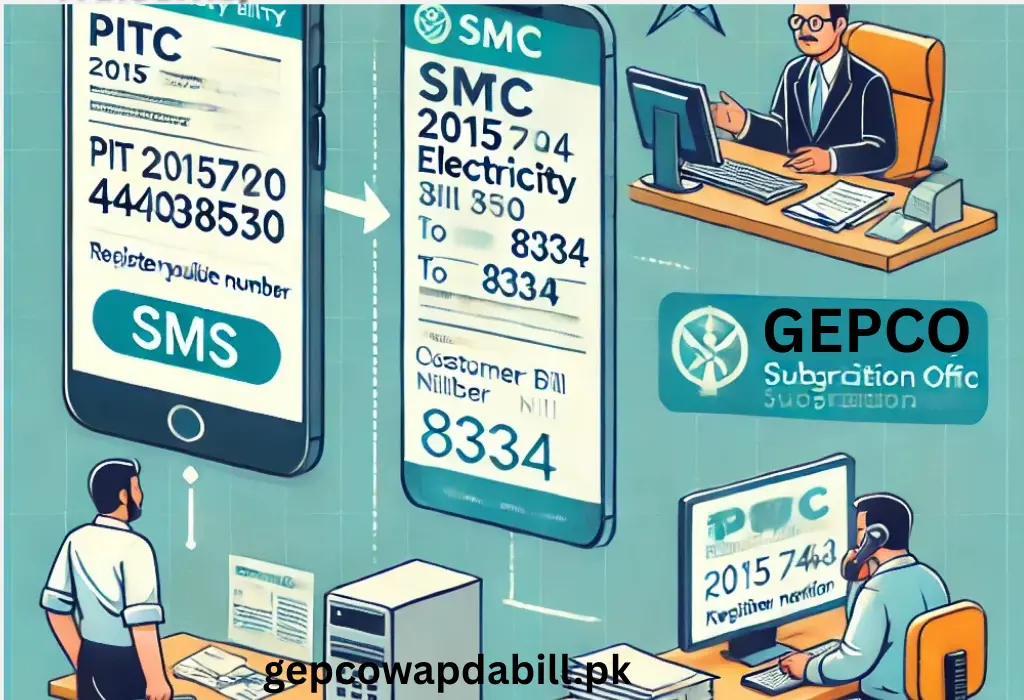
Two options are officially available to receive the electricity bill online at your mobile device.
1 : SMS service
The first method is through SMS on your registered mobile/cell phone number. To activate this service, you need to dial the [short code 8334].
You Just need to type “pitc”, your “14 digit reference number” along with a space between these two. After typing it, send it to 8334.
Sample; [ “pitc 08121342351801” ] sent to 8334.
To get you mobile number follow the steps provided below and register your mobile number.
By personal visit of the concerned area office:
Get the location of the concerned area subdivision
You need to get the location of your area GEPCO subdivision office. It can be found either through your electricity bill or the GEPCO website.
Required Documents
You need to carry documents listed below:
· Your electricity bill copy (preferably latest one).
· Your CNIC Copy (Computerized National Identity Card).
Note: You need to take care of the official office timings. Please plan a visit during working/visiting hours (8:30 AM to 04:30 PM, Monday to Friday, with a prayer break on Friday, Saturday and Sunday are weekly holidays).
Request Submission
· Reach the customer service counter and connect to the relevant staff.
· Put the request to register/update your mobile number in the GEPCO system.
· Provide Your Mobile Number (please provide your active mobile number).
Confirmation
As soon as the registration is done, you may receive a confirmation SMS on the mobile number you provided.
Your Mobile Number Registering Benefits
You will receive timely notifications via SMS for your bill generation/progress.
2. Bill Notification by Email service
How to register your Email with GEPCO for the purpose of bill notification?
Need to get your monthly GEPCO bill in your email?
You need to go through these simple and easy steps to subscribe:
Click here (GEPCO Bill Email Subscription) to access the page for email registration.
Enter your email address along with the 14-digit reference number.
Click the Submit button. Once you submit your free monthly subscription will be activated.
After you subscribe to it, your GEPCO bill will be sent to your email every month. This is a very simple and convenient way for a potential consumer.
What is GEPCO Duplicate Bill?
A GEPCO Duplicate Bill is simply a reprinted copy of your original bill. If you have lost your electricity bill or didn’t receive it on time, you can easily download and print a duplicate copy from: (gepcowapdabill.pk)
Is There Any Difference Between an Original and a Duplicate Bill?
No, there is no difference between an original bill and a duplicate bill. Both contain the same information, including:
Bill Amount
Due Date
Reference Number
Consumer Details
Taxes & Charges
A duplicate bill can be downloaded, printed, and paid just like the original bill. If you need a bill for payment or record-keeping, you can simply generate a duplicate copy online and use it without any issues.
How to register online Complaint?
NEPRA is the concerned regulator for this. The official NEPRA complaint center link is; https://ccms.pitc.com.pk/complaint for registering any valid complaint against the distribution company online.
How to track WAPDA GEPCO complaints Online:
Two ways are there, to track your complaint;
1. By making a call to the helpline
2. Track you complaint online by clicking this link and entering 14 digit reference number.
Can I check my GEPCO electricity bill online using my CNIC number?
No, using your CNIC number to check your GEPCO electricity bill. You need either your reference Number or Customer ID to check your bill online.
Paying GEPCO Bill online or by cash:
You can pay your electricity bill by the following two methods;
1. Through cash payment
2. by online payment
To get the details of the payment method or to read the process, please visit this page Gepco Bill Payment methods.
FAQs
Can I check my GEPCO electricity bill online using my CNIC number?
No, using your CNIC number to check your GEPCO electricity bill. You need either your reference Number or Customer ID to check your bill online.
How to apply for a new Gepco meter connection?
Here you will get a detailed, step-by-step, simple guide on how to apply for a new GEPCO connection. Please read this page thoroughly.
How to check your old Gepco bill or get bill history?
It is a good practice to monitor your GEPCO bill. You can easily view your old bill or get billing history on the GEPCO Bill History page.
How toPay GEPCO Bill online or by cash?
You can pay your electricity bill by the following two methods;
1. Through cash payment
2. by online payment
To get the details of the payment method or to read the process, please visit this page Gepco Bill Payment methods.
Here, we have described everything you need to know about GEPCO electricity bills. It includes How to check your bill online? Helps you to understand the bill amount. Make it easy for you to find the due date, and learn about various taxes and charges. The payment methods are also discussed and described. You will also learn here how to track your bill history and the best ways to reduce your electricity costs?
Here you can also get information on the GEPCO helpline and the complaint registration process. This is purely to help customers resolve their issues easily and efficiently. By using our platform you can get the benefits like easily manage your electricity bills, stay informed about due dates, and make timely payments to avoid any surcharges.
For a better experience, visit gepcowapdabill.pk. this will help you to stay updated with all GEPCO-related services.
For new Gepco Electricity connection please visit this page.
For more information please visit Blog page.